
Check out these additional IPv6 Resources: |
|---|
| Our IPv6 overview course at Udemy |
| Our IPv6 Custom Profiles for Wireshark |
| Our IPv6 classes at the Online School |
A great question I was asked in class was:
“If Neighbor Discovery processes have replaced ARP in ICMPv6, how do you look at the equivalent of the ARP cache?”
Great question.
Here is the answer for Windows:
- Click START> RUN> and type cmd in the box to open Command Prompt. in your Windows environment.
- Type netsh at the command prompt, and then press ENTER.
- Now type interface ipv6, and then press ENTER.
- Lastly, type show neighbors, and then press ENTER.
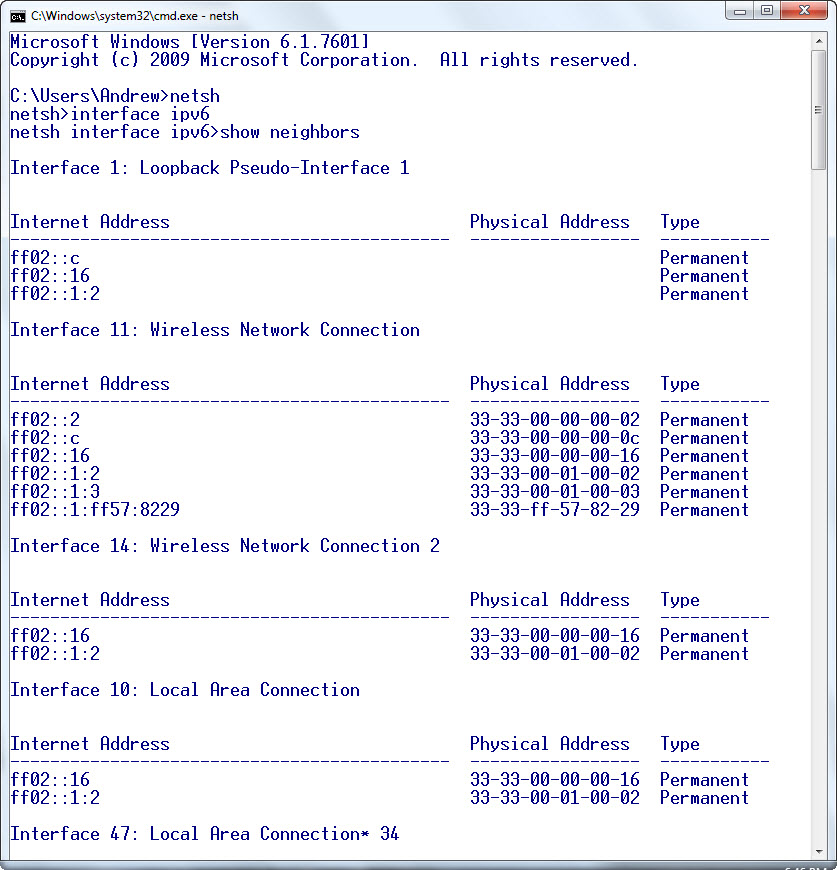
Here is a sample output (though I was not connected to an IPv6 network):
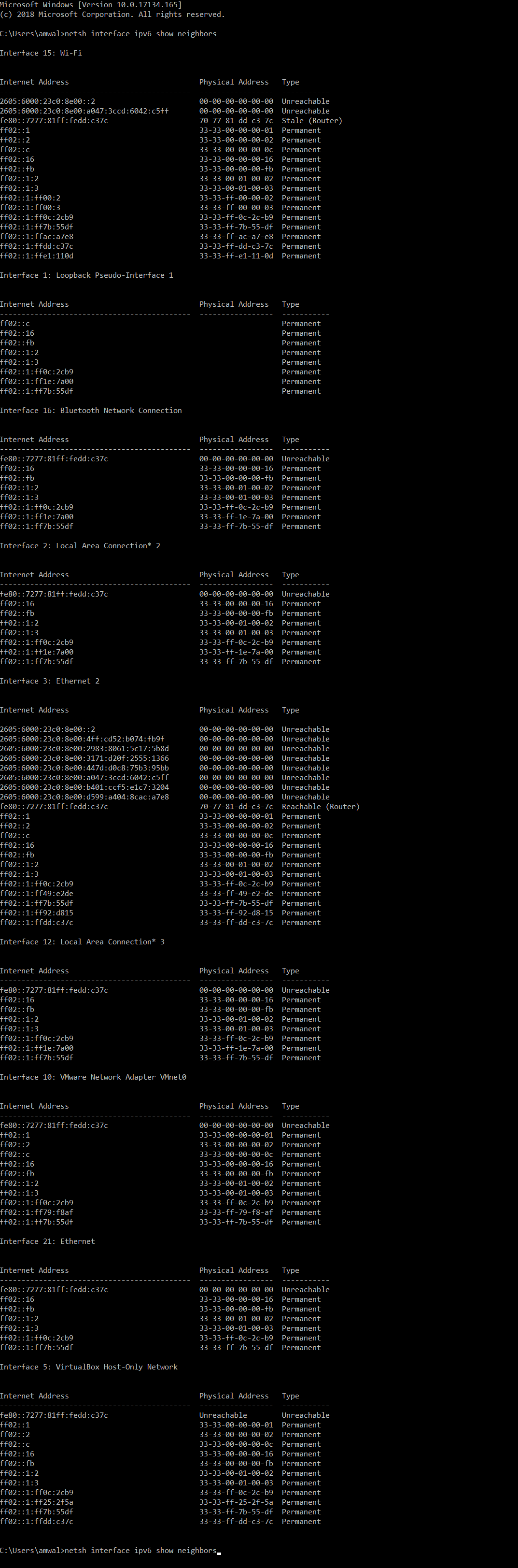
Here is a Windows example output on Windows 10 connected to an IPv6 network (it is long):
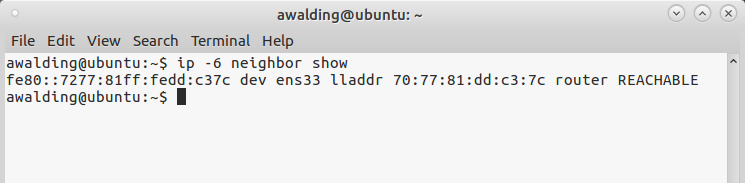
For Linux, you can view IPv6 neighbors using the following command:
# ip -6 neighbor show
On a MAC, use the following:
Andrews-iMac:~ andrew$ ndp -a
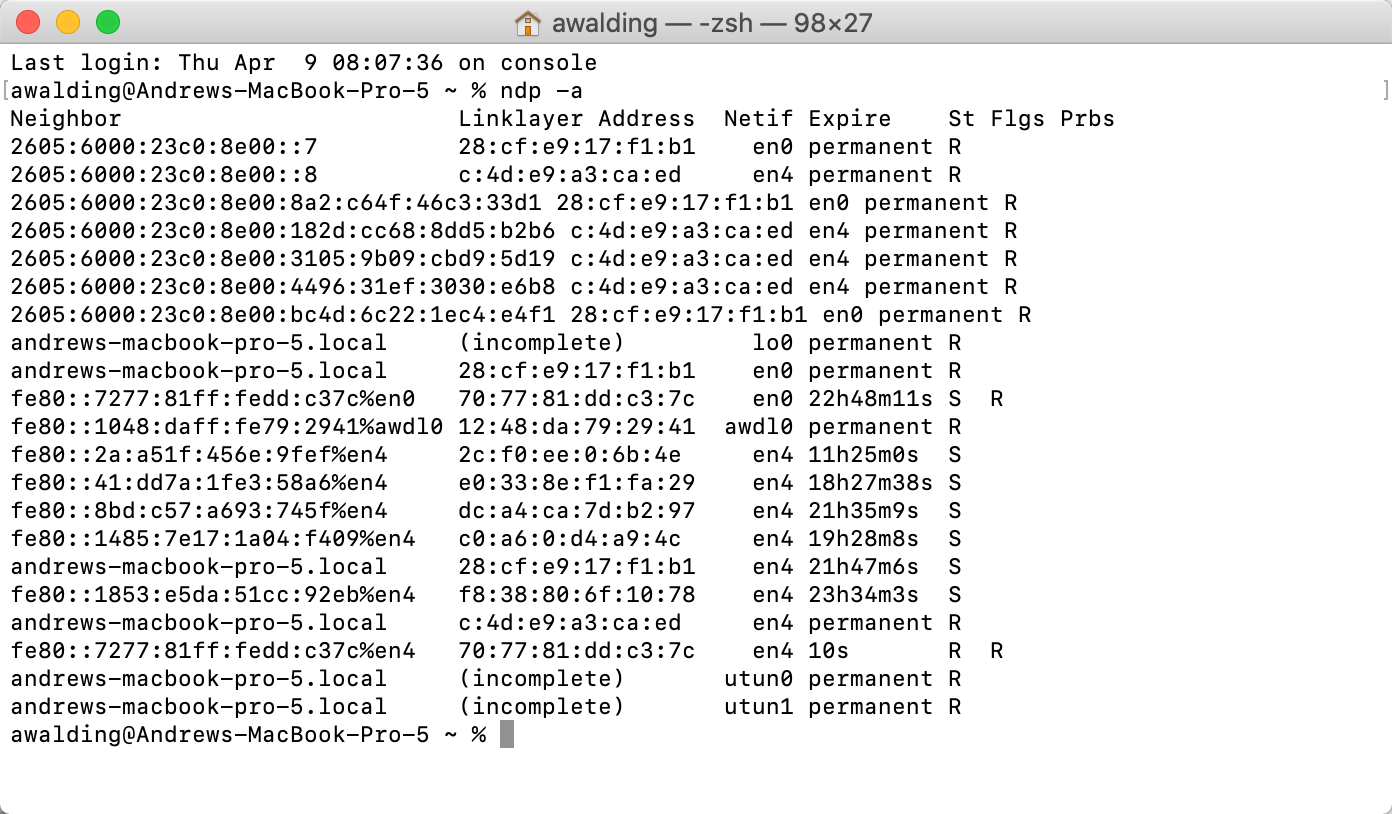
I hope you find this article and its content helpful.
Comments and technical discussion are always welcomed from registered users below, and you are also invited to continue the conversation with the community on our Discord server. If you would like to help support the continued development of independent networking, broadband, Wi-Fi, VoIP, and packet analysis content, please consider joining our Patreon community where you will gain access to exclusive technical resources, downloadable labs and PCAPs, bonus course content, troubleshooting guides, and additional member-only material. You can also support our work by simply buying us a coffee — every contribution helps us continue creating practical, real-world network science education for professionals and enthusiasts alike.